
Blog

Herex Simulator Indonesia Controls Guide

Learn about mastering the riding controls in Herex Simulator Indonesia with clear steps, practical tips, customization and safety advice, and answers to common questions for Android players.

By Bagas Prasetyo

Introduction

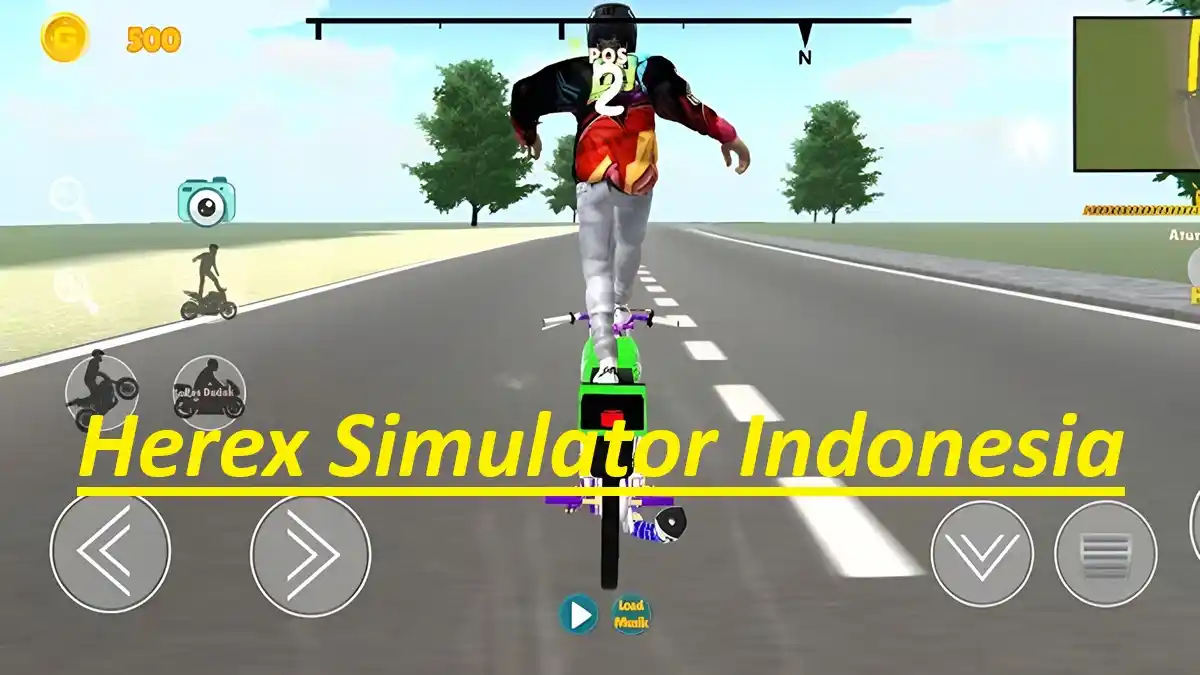
Good lap times in this game rarely come from a faster bike. They come from calmer hands. This controls guide explains how throttle, brake, steering and lean inputs work together on a touchscreen, how the camera choices change what you can judge, and how to practise each input until riding feels smooth instead of twitchy.

Many players fight the controls because they treat every input as an on and off switch. A motorcycle responds to gradual pressure, and the game rewards that approach: gentle throttle out of corners, braking done in a straight line, and small steering corrections instead of big swerves. The sections below break each input down in turn. For the complete picture, start with the Herex Simulator Indonesia homepage guide and then return to this guide.

This guide is part of our series on mastering the riding controls, written from hands on play on real Android devices. It assumes no prior expertise, explains each step in order, and finishes with the questions readers ask us most about this topic.

How the Throttle Really Behaves

The throttle decides more than speed. Feeding it in gradually keeps the motorcycle settled, while snapping it open mid corner pushes the bike wide. Practise rolling the throttle on as you exit a turn and easing off slightly when the road tightens. Smooth throttle work is the single biggest difference between riders who look lucky and riders who are consistently quick.

It helps to treat this section as a routine rather than as theory. Pick the two points that match your current weakness, apply them in your next session, and only then judge whether the advice fits your style of play. Advice that survives contact with your own sessions is worth keeping; the rest can be adapted. What matters is the loop of trying, noticing and adjusting, repeated calmly over time.

Herex Simulator Indonesia key points on this step:

  • Roll the throttle on gradually
  • Ease off before tight corners
  • Avoid full throttle on short streets
  • Use throttle to balance the bike
  • Practise steady speeds in free ride

The next section builds directly on this one, so keep these points in mind as you read on and ride, read or work through the app in your own sessions.

Braking Without Losing the Bike

Braking is a planning skill. The safe pattern is to brake while the motorcycle is upright and travelling straight, then release as you lean into the turn. Braking hard while leaned over unsettles the bike and widens your line. Give yourself more braking room than feels necessary at first; as your judgement improves, the braking points will naturally move later.

Experienced users recognise most of this section from their own habits, which is exactly the point: none of it requires talent, special equipment or spending. It requires only that the basics are done in the right order, at the right moment, with a little patience. Readers who build these steps into their normal routine stop thinking about them within a fortnight, and that is when the real progress begins. Readers who want the neighbouring topic in full should read Herex Simulator Indonesia Features for Motorbike Game Fans, which covers the ground this section only touches.

Herex Simulator Indonesia key points on this step:

  • Brake in a straight line
  • Release the brake as you lean
  • Start braking earlier than rivals
  • Use both speed and distance to judge stops
  • Practise emergency stops in free ride

The next section builds directly on this one, so keep these points in mind as you read on and ride, read or work through the app in your own sessions.

Steering, Lean and Cornering Lines

Cornering is a sequence: look at the exit, position the bike wide, lean smoothly, and accelerate out. Small lean inputs at speed are safer than sudden swerves, which scrub speed and upset balance. On the controller layout, keep your steering thumb relaxed; a tense grip produces jerky movement. Ride the same corner ten times in free ride and the correct line soon feels obvious.

A useful way to apply this section is to test it against one recent session you remember well. Where did things go right, and where did they wobble? The points below usually explain both. Keep that comparison habit and every guide you read afterwards becomes more valuable, because you will be measuring advice against your own experience instead of accepting it on faith alone.

Herex Simulator Indonesia key points on this step:

  • Enter corners wide and exit tight
  • Use small lean inputs at speed
  • Look toward the corner exit
  • Keep your steering thumb relaxed
  • Repeat one corner until the line feels natural

The next section builds directly on this one, so keep these points in mind as you read on and ride, read or work through the app in your own sessions.

Camera Views and What They Change

Camera choice changes judgement more than most settings. A closer view makes speed feel dramatic but hides the road edges, while a wider view shows more of the corner and the traffic around you. Try each available view for a full free ride session before deciding. Many players settle on the view that shows the front wheel and the road ahead together.

The checklist in this section is deliberately practical, because mastering the riding controls improves fastest when a few basics are repeated until they become automatic. Work through the points in order, notice which ones you already do without thinking, and give the others a full session of attention before moving on. Small, repeatable habits are what separate players who improve every week from players who repeat the same first week for a year. There is a close connection with Herex Simulator Indonesia Free Ride Exploration Tips, and reading the two guides together gives a rounder picture than either alone.

Herex Simulator Indonesia key points on this step:

  • Test every camera view for a full session
  • Wider views show more road edge
  • Closer views increase the sense of speed
  • Keep the horizon steady in your view
  • Change view only between sessions, not mid race

The next section builds directly on this one, so keep these points in mind as you read on and ride, read or work through the app in your own sessions.

Control Layout and Sensitivity Tweaks

If the default button positions fight your thumbs, change them. Move the brake where your finger lands naturally, and set steering sensitivity so a full slide gives a full lean without twitching at small inputs. Change one setting at a time and ride for several minutes before judging it. A layout that suits your hands is worth more than any single bike upgrade.

It helps to treat this section as a routine rather than as theory. Pick the two points that match your current weakness, apply them in your next session, and only then judge whether the advice fits your style of play. Advice that survives contact with your own sessions is worth keeping; the rest can be adapted. What matters is the loop of trying, noticing and adjusting, repeated calmly over time.

Herex Simulator Indonesia key points on this step:

  • Place buttons where thumbs rest naturally
  • Set sensitivity to avoid twitchy steering
  • Change one setting at a time
  • Test changes in free ride first
  • Keep a note of your best layout

The next section builds directly on this one, so keep these points in mind as you read on and ride, read or work through the app in your own sessions.

A Practice Routine for Smoother Riding

Deliberate practice works even in short sessions. Spend five minutes riding at half speed with no crashes, five minutes repeating one corner, and five minutes following a clean racing line at comfortable pace. Finish with one full race using everything you practised. Riders who train this way stop thinking about buttons and start reading the road, which is when the game becomes truly enjoyable.

Experienced users recognise most of this section from their own habits, which is exactly the point: none of it requires talent, special equipment or spending. It requires only that the basics are done in the right order, at the right moment, with a little patience. Readers who build these steps into their normal routine stop thinking about them within a fortnight, and that is when the real progress begins.

Herex Simulator Indonesia key points on this step:

  • Practise at half speed first
  • Repeat single corners
  • Follow clean lines at a steady pace
  • Finish practice with one race
  • Track which input still feels awkward

The next section builds directly on this one, so keep these points in mind as you read on and ride, read or work through the app in your own sessions.

Controls on Different Screen Sizes

A large phone screen gives buttons room to breathe, while a compact screen can crowd thumbs over the road view. On smaller devices, slightly larger buttons and a simpler layout reduce missed inputs. Hold the phone so your palms do not cover the speakers or the edges of the display, and keep the screen clean, because touchscreen inputs only work as well as the surface reading them.

A useful way to apply this section is to test it against one recent session you remember well. Where did things go right, and where did they wobble? The points below usually explain both. Keep that comparison habit and every guide you read afterwards becomes more valuable, because you will be measuring advice against your own experience instead of accepting it on faith alone.

Herex Simulator Indonesia key points on this step:

  • Use larger buttons on small screens
  • Keep the layout simple on compact phones
  • Hold the phone clear of the screen edges
  • Clean the screen before long sessions
  • Check touch response in free ride

The next section builds directly on this one, so keep these points in mind as you read on and ride, read or work through the app in your own sessions.

Herex Simulator Indonesia Safe Download Checks

Whatever else changes in your setup, keep the download habit clean. The game should only ever come from a source you trust, and the file should match the app name and the package name net.verlygamedev.herexsimulatorindonesia before you install it. Check the version and file details on the download page, ignore modified files from unknown sites, and let Android Play Protect do its work. These checks take a minute and they protect everything else in this guide.

Experienced users recognise most of this section from their own habits, which is exactly the point: none of it requires talent, special equipment or spending. It requires only that the basics are done in the right order, at the right moment, with a little patience. Readers who build these steps into their normal routine stop thinking about them within a fortnight, and that is when the real progress begins.

Herex Simulator Indonesia reminders:

  • Use trusted sources only
  • Verify the package name
  • Check version details before installing
  • Avoid modified files
  • Keep Play Protect enabled

These habits sound ordinary because they are, and that is their strength: they work on ordinary days, on ordinary phones, for ordinary users.

Herex Simulator Indonesia Performance and Settings Checks

Performance problems usually have ordinary causes, and they are worth ruling out before blaming the game. Keep free storage available, close heavy background apps, lower graphics if your phone stutters in busy streets, and let a hot phone cool between sessions. Revisit steering sensitivity whenever the bike starts to feel nervous, because one calm setting is worth more than a page of theory about mastering the riding controls.

A useful way to apply this section is to test it against one recent session you remember well. Where did things go right, and where did they wobble? The points below usually explain both. Keep that comparison habit and every guide you read afterwards becomes more valuable, because you will be measuring advice against your own experience instead of accepting it on faith alone.

Herex Simulator Indonesia reminders:

  • Keep free storage available
  • Close background apps
  • Lower graphics on weaker phones
  • Manage heat with breaks
  • Recheck sensitivity regularly

These habits sound ordinary because they are, and that is their strength: they work on ordinary days, on ordinary phones, for ordinary users.

Herex Simulator Indonesia Updates and Everyday Care

A little routine care keeps the game feeling new. Install updates over the existing copy so your progress and settings carry across, verify your garage after each update, and keep short notes or screenshots of your favourite builds and control layout. If your interest in mastering the riding controls grows into regular racing, that documentation becomes the fastest way to rebuild your setup on a new phone without a week of guessing.

The checklist in this section is deliberately practical, because mastering the riding controls improves fastest when a few basics are repeated until they become automatic. Work through the points in order, notice which ones you already do without thinking, and give the others a full session of attention before moving on. Small, repeatable habits are what separate players who improve every week from players who repeat the same first week for a year.

Herex Simulator Indonesia reminders:

  • Install updates over the top
  • Verify progress after updating
  • Screenshot favourite builds
  • Note your control layout
  • Back up before changing phones

These habits sound ordinary because they are, and that is their strength: they work on ordinary days, on ordinary phones, for ordinary users.

Frequently Asked Questions

Sliding wide usually comes from entering the corner too fast or opening the throttle suddenly while leaned over. Brake earlier in a straight line, lean smoothly, and feed the throttle in gradually as you exit.

Start with the default layout, then lower steering sensitivity slightly if the bike feels twitchy. The best setting is the one that lets you make small, calm inputs without missing buttons at speed.

Yes. The game contains ads and offers in-app purchases, while its core riding, racing and customization features remain available to all players. Set spending rules that suit you in a calm moment.

Check graphics settings, background apps, free storage and phone temperature, in that order. Lower settings, close other apps, free space and take breaks for heat, testing the game after each single change.

Conclusion

Herex Simulator Indonesia Controls Guide comes down to a simple order: understand the basics, apply them in short regular sessions, and let small improvements compound. The game rewards patience and attention far more than rushing, whether your goal is mastering the riding controls or simply enjoying your time with it.

Keep this guide bookmarked, test one idea at a time, and trust what your own sessions teach you. Every experienced user was once reading a guide like this one, and the distance between the two is mostly a few weeks of calm, deliberate practice.

Bagas Prasetyo

Reviewed by

Bagas Prasetyo

Simulation Games Reviewer

Bagas tests simulation games on real Android phones across Indonesia, checking controls, performance and customization systems before writing about them.